一、安装
方法一:
卸载rpm包:rpm -e --nodeps msyql
查看可以安装的版本:yum repolist all | grep mysql
安装MySQL:
sudo yum -y install mysql-devel mysql-community-server
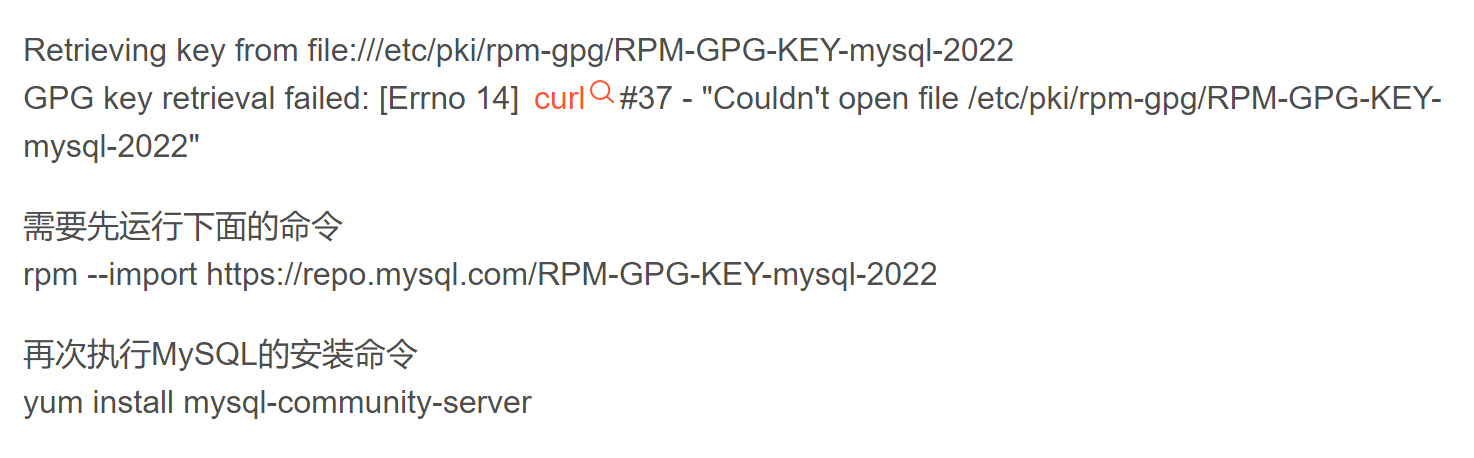
rpm --import https://repo.mysql.com/RPM-GPG-KEY-mysql-2022
方法二:
1、下载
下载mysql官网地址:https://dev.mysql.com/downloads/file/?id=484537.
点击页面底部No thanks, just start my download.
开始下载。
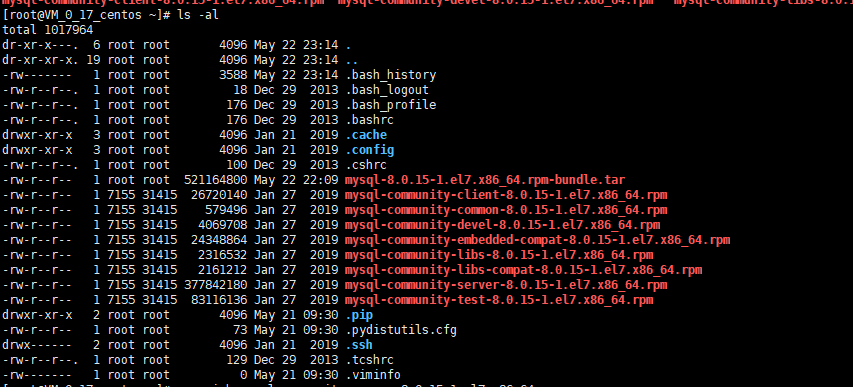
然后上传到服务器
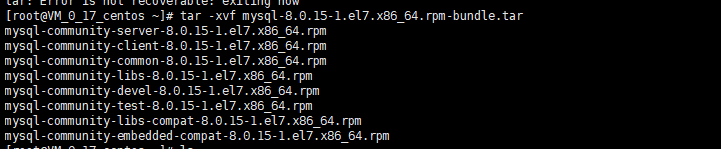
2、解压安装包:
3、安装 mysql-community-common-8.0.15-1.el7.x86_64.rpm
rpm -ivh mysql-community-common-8.0.15-1.el7.x86_64.rpm
4、安装 mysql-community-libs-8.0.15-1.el7.x86_64.rpm
rpm -ivh mysql-community-libs-8.0.15-1.el7.x86_64.rpm
5、安装 mysql-community-client-8.0.15-1.el7.x86_64.rpm
rpm -ivh mysql-community-client-8.0.15-1.el7.x86_64.rpm
6、安装 mysql-community-server-8.0.15-1.el7.x86_64.rpm
rpm -ivh mysql-community-server-8.0.15-1.el7.x86_64.rpm
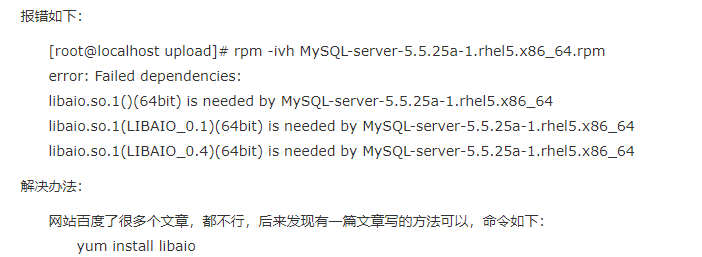
报错:libnuma.so.1 is needed => yum -y install numactl
二、配置
1、启动MySQL:
sudo service mysqld start
2、修改root密码,创建用户:
① PS.MySQL5.7在启动时会创建一个随机密码,查看设定的root密码:
sudo grep 'temporary password' /var/log/mysqld.log
② 找到显示结果中的密码提示:
[Note] A temporary password is generated for root@localhost: xxxxx
③ 之后的就是系统分配的随机密码,根据随机密码登录MySQL
mysql -uroot -pxxxxx
④ 登录MySQL之后使用命令行修改root密码:
ALTER USER 'root'@'localhost' IDENTIFIED with mysql_native_password BY 'PASSWORD';--修改密码以及加密方式
设置密码的时候一定要设置一个强密码,如果不是use强密码,会有如下提示:
ERROR 1819 (HY000): Your password does not satisfy the current policy requirements
关于密码强度判断及强密码的规则,官方有以下说明:
Note MySQL's validate_password plugin is installed by default. This will require that passwords contain at least one upper case letter, one lower case letter, one digit, and one special character, and that the total password length is at least 8 characters.
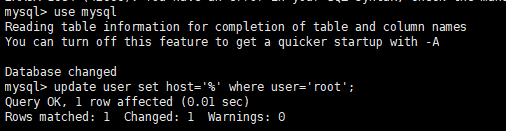
⑤ 为了方便使用,我们经常会创建任意连接的root用户:
GRANT ALL PRIVILEGES ON *.* TO root@'%' IDENTIFIED BY 'PASSWORD' WITH GRANT OPTION;
GRANT ALL PRIVILEGES ON `DATA`.`TABLE` TO `USERNAME`@'%' IDENTIFIED BY '`PASSWORD`' WITH GRANT OPTION;
//%所有ip
出现如下报错:
使用以下方法:
新增用户:create user `AA`@`%` identified by 'XXXXXX';
ALTER USER 'AA'@'%' IDENTIFIED with mysql_native_password BY 'XXXXX';
//设置账号访问权限与访问数据库
GRANT SELECT, INSERT, UPDATE, REFERENCES, DELETE, CREATE, DROP, ALTER, INDEX, TRIGGER, CREATE VIEW, SHOW VIEW, EXECUTE, ALTER ROUTINE, CREATE ROUTINE, CREATE TEMPORARY TABLES, LOCK TABLES, EVENT ON `tableName`.* TO AA'@'%';
//取消授权:revoke all on *.* from 'AA'@'%';
//授权访问指定一个或多个库:
//grant all privileges on tableName.* to 'AA'@'%';
//grant all privileges on tableName.* to 'AA'@'%';
⑥ 刷新权限使命令生效:
flush privileges;
⑦ 退出MySQL:
exit
三、配置文件
[mysql]
default-character-set=utf8
[client]
port=3306
default-character-set=utf8
socket=/var/lib/mysql/mysql.sock
[mysqld]
socket=/var/lib/mysql/mysql.sock
port=3306
default_authentication_plugin=mysql_native_password
datadir=/var/lib/mysql
pid-file=/var/run/mysqld/mysql.pid
character-set-server=utf8
default-storage-engine=InnoDb
max_connections=1000
collation-server=utf8_unicode_ci
init_connect='SET NAMES utf8'
innodb_buffer_pool_size=64M
innodb_flush_log_at_trx_commit=1
innodb_lock_wait_timeout=120
innodb_log_buffer_size=4M
innodb_log_file_size=256M
interactive_timeout=120
join_buffer_size=2M
key_buffer_size=32M
log-error=/var/log/mysqld.log
log_error_verbosity=1
max_allowed_packet=256M
max_heap_table_size=64M
myisam_max_sort_file_size=64G
myisam_sort_buffer_size=32M
read_buffer_size=512kb
read_rnd_buffer_size=4M
log_bin=mysql-bin
#server-id=1 //主从配置
skip-external-locking=on
sort_buffer_size=256kb
table_open_cache=256
thread_cache_size=16
tmp_table_size=64M
wait_timeout=2288800
slow_query_log=ON
slow_query_log_file=/var/log/sql-slow.log
long_query_time=1
sql_mode=STRICT_TRANS_TABLES,NO_ZERO_IN_DATE,NO_ZERO_DATE,ERROR_FOR_DIVISION_BY_ZERO,NO_ENGINE_SUBSTITUTION
//在/val/log目录,新增sql-slow.log文件,并chown mysql:mysql sql-slow.log
四、系统配置
⑧、如果系统的防火墙开着(or behind a hardware firewall or NAT)你必须放开mysql使用的TCP端口,默认是3306;
⑨、开机启动MySQL:
systemctl enable mysqld
systemctl daemon-reload
五、异常:
1、SQLyog登录提示:plugin caching_sha2_password clould not be loaded
办法:
ALTER USER 'root'@'%' IDENTIFIED BY '!YuMingMing2492!' PASSWORD EXPIRE NEVER; #修改加密规则
ALTER USER 'root'@'%' IDENTIFIED WITH mysql_native_password BY '!YuMingMing2492!'; #更新一下用户的密码
FLUSH PRIVILEGES;